
AI Chat - Ask your AI Chatbot
Syphnosys AppsProductivity
3.8309.00 Reviews
- Version
- 2.1.6
- Installs
- 10.00M
- Age Rating
- Everyone
Screenshots



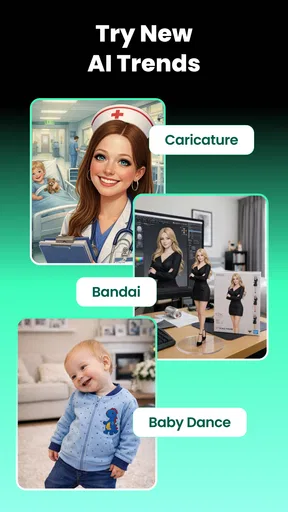
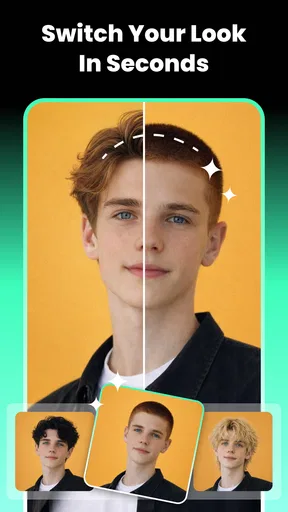

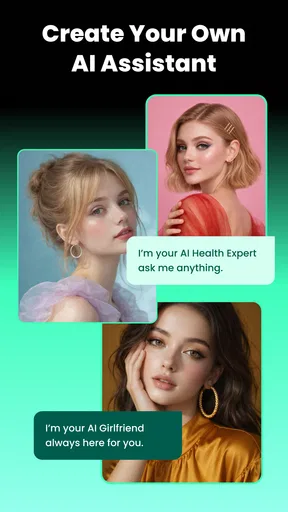
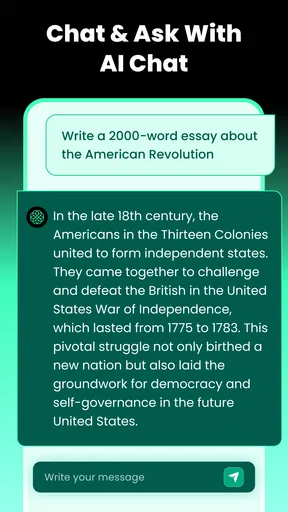
Our Review of AI Chat - Ask your AI Chatbot
 Analysis by Appyee
I approached AI Chat - Ask your AI Chatbot as a practical productivity app rather than a novelty toy. Its purpose is straightforward: give you a place to consult an AI chatbot and use AI-assisted tools for creating photos and videos. That combination makes it interesting for quick questions, drafting, brainstorming, and creative experiments, although it also means the experience is broader than a focused notes app or a dedicated video editor. In my day-to-day use, its value depended less on asking one impressive question and more on building a repeatable way to work with it.
The app comes from Syphnosys Apps and is available free of charge, with optional purchases ranging from $5.99 to $199.99 per item. It is aimed at everyone, runs on Android 7.0 or later, and its current version is 2.1.6. Those details make it accessible to people using older Android phones, but the purchase range is important to keep in mind before treating the free download as a completely unrestricted tool.
How I built a useful everyday workflow
My baseline workflow was deliberately simple. I started with one clear request instead of typing a long paragraph containing several unrelated jobs. For example, when planning a busy afternoon, I asked the chatbot to turn a rough list of errands into an ordered plan, then followed up with constraints such as travel time, a fixed appointment, or a preference for fewer stops. This worked better than expecting one vague prompt to produce a perfect answer immediately.
The most useful habit was treating the conversation as a working draft. I would ask for an initial version, inspect what was missing, and then request a specific change: shorten it, make the tone warmer, separate actions from background information, or present the result as a checklist. That approach is more reliable than repeatedly starting new chats because the assistant can use the context already established in the conversation.
A realistic example is preparing a message to a landlord, teacher, colleague, or service provider. I could describe the situation in plain language, ask for a polite draft, and then revise it so it sounded like me. I would still check names, dates, promises, and any factual claims before sending it. The app was helpful for structure and tone, but I would not hand over responsibility for important communication without reading the final wording carefully.
For study, I found it more useful when I supplied the subject and my level of understanding. Asking for a short explanation followed by a few practice questions created a better learning session than simply requesting “tell me everything.” A good follow-up is to ask the chatbot to point out the difference between two easily confused ideas, then explain the answer in simpler language. This turns the app into a patient revision partner, although it should not replace a textbook or qualified guidance for high-stakes subjects.
Creative tasks follow a different rhythm. The photo and video tools are most appealing when I already have a clear purpose, such as creating a visual concept for a social post, testing a mood for a presentation, or exploring several directions before choosing one. I would first describe the subject, atmosphere, colors, framing, and intended audience. If the result felt too generic, I refined one element at a time rather than rewriting the entire request.
The practical lesson is to use the app as an iterative workspace, not an answer vending machine. Its chatbot can help me move from a rough idea to a usable draft, but the quality of the result still depends on the clarity of my instructions and the amount of checking I do afterward.
Settings and choices worth checking before regular use
Before relying on any AI assistant, I recommend looking through the available app settings and purchase prompts. I would pay particular attention to how the app presents optional upgrades, because a free installation and paid in-app items are different things. If you are setting it up for a child or a shared device, the Everyone content rating does not remove the need for ordinary supervision around purchases and the kind of prompts being entered.
I also suggest deciding in advance what information belongs in a chatbot conversation. I avoid pasting passwords, private identification details, confidential work material, medical records, or anything that would create a problem if it appeared outside my control. Instead, I replace names with labels and remove unnecessary specifics. This small preparation makes the tool safer without making it less useful for ordinary drafting and planning.
Another worthwhile check is the Android requirement. Since the app supports Android 7.0 and newer, it can suit people who have not upgraded recently. However, an older phone may not feel as comfortable when handling AI-generated images or videos as a newer device with a larger display and more responsive performance. I would leave enough storage and battery for creative work rather than judging the app only from short text conversations.
The app has an average rating of 3.8 from around 212 thousand ratings, which suggests a mixed but substantial user experience rather than universal approval. I read that as a reason to test the workflow personally before paying for anything. A chatbot can feel excellent for quick writing assistance and less impressive when a user expects perfect factual accuracy, unlimited creative output, or the same depth as a specialist service.
It is also worth separating the chatbot from the generated media. Text answers are quick to evaluate because I can read them immediately. Images and videos require a different standard: composition, consistency, legibility, and whether the result is actually usable for the intended platform. I would not assume that a visually interesting result is automatically ready for publication.
Faster patterns that save time without lowering quality
Experienced use is mostly about reusable prompt patterns. I keep a compact structure in mind: task, context, audience, format, and limits. For a work email, that might mean explaining the situation, identifying the recipient, requesting a friendly tone, asking for a version under a certain length, and telling the assistant what must remain unchanged. This is faster than adding corrections after every incomplete response.
For brainstorming, I ask for grouped options rather than a long unstructured list. I might request ideas divided into safe, unusual, and low-cost directions, then ask the chatbot to compare them against my actual constraints. The important step is the second pass: I want help choosing, not just generating. This makes the app more useful for planning a weekend activity, naming a small project, outlining content, or finding alternative approaches to a stubborn task.
A particularly effective pattern is asking the assistant to identify assumptions before producing the final answer. If I am planning an event or comparing products, I ask what information could change the recommendation. That often reveals missing details such as audience, deadline, budget, or compatibility. It does not guarantee correctness, but it reduces the chance that I will mistake a polished response for a complete one.
For rewriting, I prefer giving the original text and naming the exact transformation. “Make this clearer for a beginner while keeping the technical meaning” is more useful than “improve this.” I also ask for two versions when tone matters: one direct and one warmer. Comparing them helps me retain control of the final message instead of accepting the first fluent paragraph.
When using the photo or video generation tools, I would prepare a small prompt template with the visual subject, setting, lighting, movement, style, and output purpose. I then change only one or two elements between attempts. That creates a meaningful comparison and avoids wasting time on random prompt changes. If text must appear inside an image, I treat that as a warning area and inspect every letter rather than assuming the generated design is accurate.
One overlooked workflow is using the chatbot to create the instructions for the creative tool. I can first ask for three visual directions for a campaign or personal project, select one, and then request a more precise generation prompt. This separates ideation from execution and gives me a clearer reason for each image or video attempt. It is especially helpful when I know the goal but do not yet know the visual language.
The app has passed ten million installs, so it is not an obscure experiment with no audience. Even so, popularity does not tell me whether it matches a particular workflow. I would judge it by how quickly I can reach a usable result, how much editing remains, and whether the available tools justify any purchase for my own habits.
Where the app reaches its limits
The biggest limitation is common to AI assistants but still easy to underestimate: fluent wording is not proof of truth. I verify figures, names, instructions, legal explanations, health information, and anything that could cause financial or personal harm. For a casual idea, an imperfect answer may be harmless. For an important decision, I use the app as a starting point and consult stronger sources.
Context can also become a burden. Long conversations may contain outdated assumptions, and the chatbot may continue following an earlier instruction after my goal has changed. When that happens, I restate the current task cleanly or begin a fresh conversation with only the necessary background. Starting over is sometimes faster than untangling a long chain of revisions.
The creative tools have their own trade-offs. AI-generated photos and videos can help me explore concepts quickly, but they are not a substitute for precise manual control when a project requires exact branding, consistent characters, dependable typography, or frame-by-frame editing. A dedicated image editor or video editor is usually the better choice once timing, layers, audio, and detailed corrections matter more than rapid experimentation.
I would also skip this app if my main need is a private, offline writing environment. A focused notes application is better for storing personal thoughts, organizing local documents, and building a dependable archive. Likewise, someone who needs advanced research citations, specialist coding support, or professional production controls may be happier with a purpose-built service rather than an all-in-one AI assistant.
Cost deserves a measured approach. The app is free to install, but optional items can reach $199.99 each. I would test the free experience with several real tasks before considering a purchase and would never assume that a payment automatically solves accuracy, quality, or creative consistency. The right question is whether the paid capability saves enough time in a repeated workflow to justify its price for me.
There is also a human limitation: the assistant can encourage shallow thinking if I accept its first answer too often. I get better results when I use it to challenge an idea, organize evidence, or expose missing steps rather than letting it make every decision. That distinction matters for students, professionals, and anyone using AI to replace rather than support their own judgment.
Who should use it and who should choose something else
I think AI Chat - Ask your AI Chatbot is a good fit for people who want one accessible place for quick AI conversations and occasional image or video creation. It suits a student organizing revision, a freelancer shaping a client message, a busy person turning notes into a plan, or a curious creator exploring visual concepts without opening several specialized tools.
It is less suitable for someone who wants a highly focused productivity system. If your priority is task management, calendar automation, document storage, or structured note-taking, a dedicated productivity app will likely be more dependable. The chatbot can help design a checklist, but it is not the same as maintaining a complete system that reminds you and tracks progress.
Compared with ordinary search, the app is better at transforming a conversation into a draft, explanation, or set of options. Search remains better when I need source comparison, current official information, or direct access to original documents. Compared with a traditional writing assistant, this app is more flexible but may require more fact-checking and clearer instructions. Compared with specialist creative software, it is quicker to explore but offers less precise control.
The app is free to try, rated for Everyone, and developed by Syphnosys Apps. Its audience is broad, but the best results still come from users willing to review, refine, and organize their requests. I would not recommend it as an unquestioned authority or as a replacement for professional tools. I would recommend it as a convenient first layer between a vague idea and a more finished piece of work.
My verdict after building repeatable habits
After using it with a consistent workflow, I found the app more useful than its short “AI Chat” label suggests. The strongest experience is not a single spectacular response; it is the accumulation of small wins: turning messy thoughts into a plan, adjusting a message for a particular reader, generating alternatives, and exploring a visual direction before investing more time.
My advice is to begin with free, low-risk tasks, create clear prompts, check the settings and purchase boundaries, and keep sensitive information out of conversations. For creative work, compare variations deliberately and inspect the details. For factual work, verify anything important. These habits address the main weaknesses without requiring complicated techniques.
I would recommend it to curious Android users who want a flexible AI companion, but not to people seeking a complete professional editor, private notebook, or authoritative research tool. With that expectation, AI Chat - Ask your AI Chatbot is a practical general-purpose assistant whose usefulness grows when I bring a repeatable method instead of waiting for magic.
Verdict
Strengths of AI Chat - Ask your AI Chatbot
- Quick answers for everyday questions and brainstorming.
- Useful for drafting emails, posts, stories, and other text.
- Simple chat interface that is easy for beginners to navigate.
- Can help explain complex topics in a more accessible way.
- Available whenever you need a virtual assistant on the go.
Limitations of AI Chat - Ask your AI Chatbot
- AI responses may occasionally include inaccurate or outdated information.
- Some advanced features may require a paid subscription.
- Privacy terms should be checked before sharing personal information.
- Long or detailed conversations may produce inconsistent answers.
- Requires an internet connection for most chatbot functions.
Similar Picks in This Category
View All
Google Calendar
Google LLC4.6

Google Drive
Google LLC4.3

Google Assistant
Google LLC3.9

Microsoft OneDrive
Microsoft Corporation4.6

Samsung Calendar
Samsung Electronics Co., Ltd.4.1

Microsoft OneNote: Save Notes
Microsoft Corporation4.6
Frequently Asked Questions
What is AI Chat - Ask your AI Chatbot used for?
AI Chat - Ask your AI Chatbot is designed to provide conversational assistance for everyday questions, writing tasks, brainstorming, explanations, summaries, and general information. You can type a request in the chat and receive a generated response within seconds. It may be useful for students, professionals, content creators, and casual users, although answers should be reviewed because the chatbot can occasionally misunderstand a question or provide inaccurate information.
Does AI Chat - Ask your AI Chatbot require an internet connection?
Yes, an active internet connection is generally required because your messages are processed through online artificial intelligence services. The app may open without connectivity, but sending new prompts and receiving answers usually depends on access to Wi-Fi or mobile data. If you plan to use it while traveling, check your data allowance and expect the app’s performance to be limited in areas with weak or unavailable network coverage.
Is AI Chat - Ask your AI Chatbot free to download and use?
The application may be available to download at no initial cost, but some features can be restricted by usage limits, advertisements, subscriptions, or in-app purchases. Before starting a trial or upgrading, carefully review the pricing page, billing frequency, and cancellation conditions shown in the app store. Free access may be enough for occasional questions, while frequent users could encounter limits or prompts to purchase premium access.
Can the chatbot provide accurate answers for important topics?
AI Chat - Ask your AI Chatbot can produce helpful explanations and well-written responses, but it should not be treated as an unquestionable authority. Artificial intelligence may generate outdated, incomplete, or incorrect information, especially for medical, legal, financial, academic, or safety-related questions. Use the app as a starting point, verify important claims with reliable sources, and consult a qualified professional whenever a decision could have serious consequences.
What privacy considerations should I know before using the app?
Before using AI Chat - Ask your AI Chatbot, read its privacy policy and the information displayed on the app’s store listing. Conversations may be transmitted to external servers for processing, and data-handling practices can vary depending on the developer and service providers. Avoid entering passwords, payment details, private documents, confidential work information, or personally identifying data unless you fully understand how prompts and chat history are stored and used.
